For researchers

Write it down while it happens.

Plan with your papers, run protocols hands-free at the bench, and keep every result next to the question that started it.

See it working

One experiment, recorded as it happens.

The hypothesis, what deviated, and the result with the person who reviewed it. Below, each number traces back to its step and source.

Plan · Run · Analyze
PETPlastic-degrading enzyme screen JMAKLS
Hypothesis AK
PETase · PDB 5XJH
Engineered PETase breaks down bottle film faster than the wild type.50 °C
Deviation · step 1 JM · 09:41
OD600 at inductionplanned 0.6 · actual 0.72
Result reviewed · LS
4.1×more product by day 7d1d2d4d7
✓ Reviewed and signed by L. Schmidt · version 3
Example data
Every number points back to the step and the sentence it came from.
Why it matters

Most of an experiment is never written down.

Gelly is for the moments that decide whether it can be repeated.

06:15

Run 3 worked. You can see what changed: induced at 0.72, not 0.6, and decide what to test next. worth testing

2 years later

The student who found it has moved on. The protocol, every run and what changed are still in the lab's notebook.

Shipped in the last three months, and next

What changed lately.

See what we’re building next →
  • Lab inventory with scanningScan a bottle's barcode or CAS; Gelly finds it in PubChem and knows where it lives.
  • Encrypted shared pagesShare a protocol as a web page. The key stays in the link, the server can't read it.
  • Choose your AI modelPick per question: GPT (OpenAI, US) for the strongest reasoning, or DeepSeek V4.1 Flash (GreenPT on Scaleway, Paris) to keep data in the EU.
  • Plasmids, antibodies, organismsReal map files, RRIDs and Cellosaurus lines as notebook cards.
  • In the next releaseLecture captureRecord a talk, transcribe it and enhance your notes from it.
  • Signed, timestamped recordsEvery block says who added it, and which model wrote AI content.
Mac and Windows

The phone runs the bench. The desktop does the heavy work.

Search everything with ⌘K, drop FCS folders and microscopy stacks, read papers beside your notebook, and let Claude Code or Codex work in your notebooks.
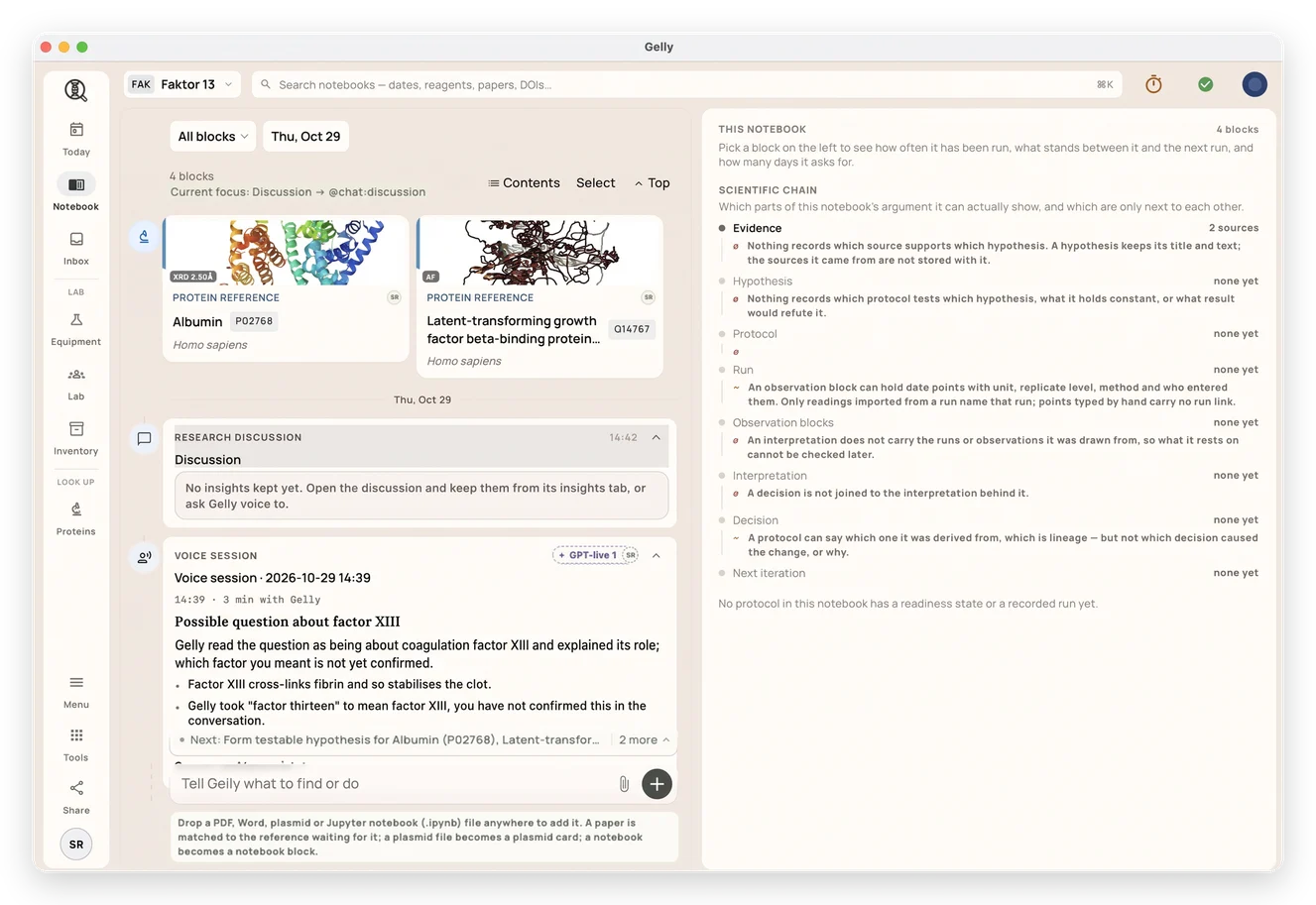
Gelly on the desktop: a notebook with protein references and a voice session